Prospect Using Your Team's Combined Network
Tap into your entire organization's connections for warmer paths into accounts.
Team NetworksHow It Works
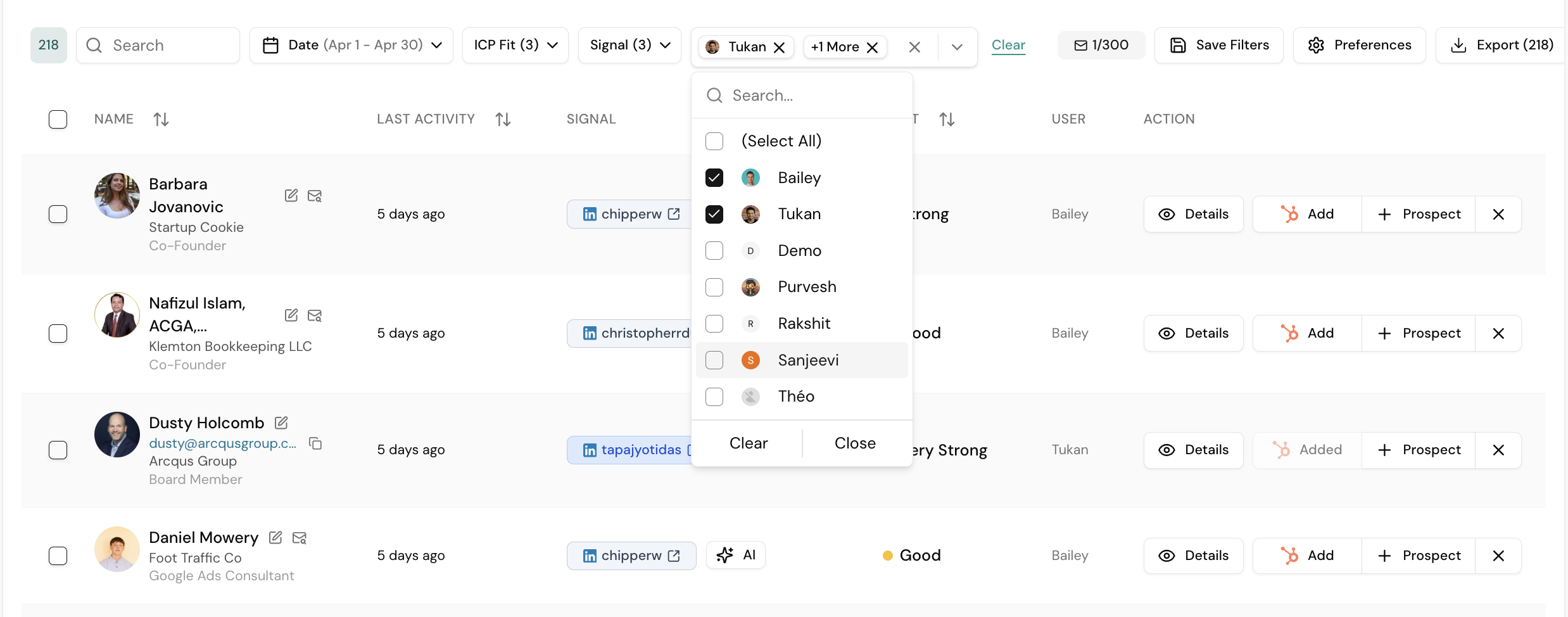
- Go to Audience → Signals and apply ICP filters
- Click Add next to any teammate with a Gia seat
- Results instantly expand with their connections
- The User column shows who is connected to each contact
Use Cases
Conference Preparation
Filter by location + ICP fit, add teammates. Build a list of warm contacts to set up meetings with before the event.
Enterprise Account Targeting
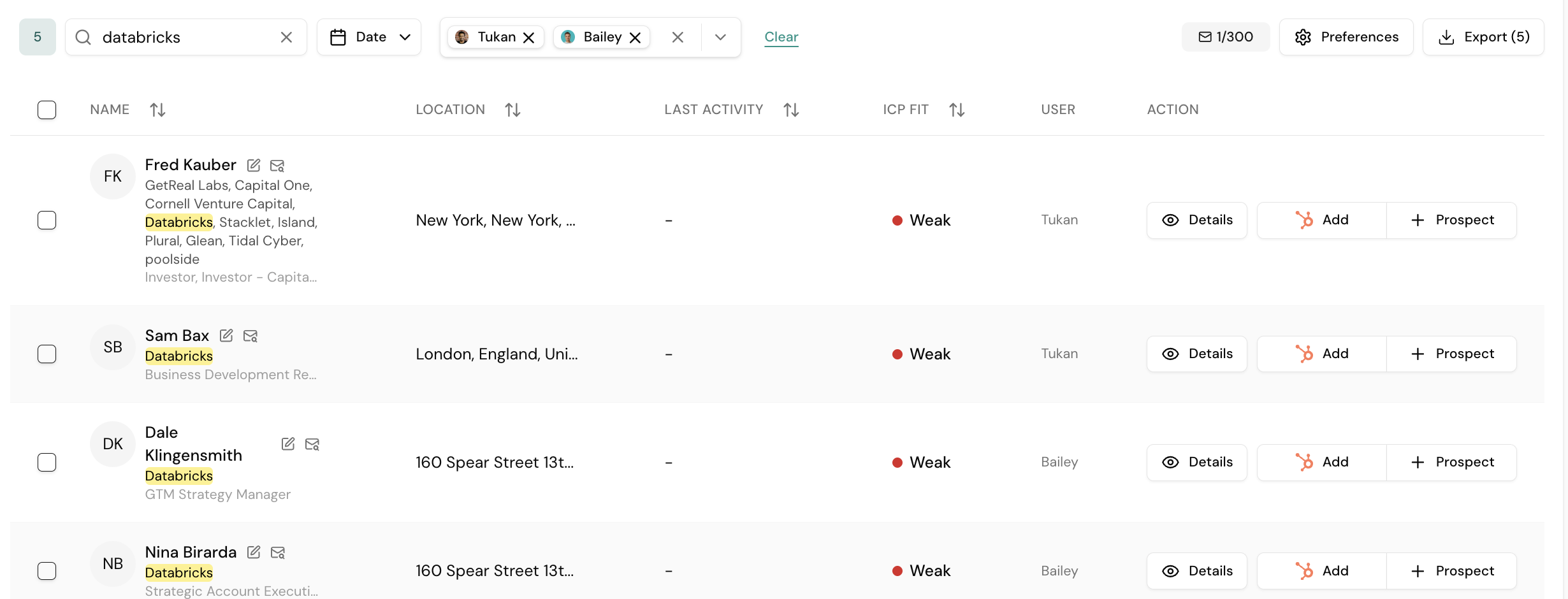
Search by company name, then add teammates. You might have 5 connections alone but 13+ across the team.
BD Rep Leveraging Partner Networks
Junior reps can select senior partners' networks and prospect using their connections + signal filters. This gives new reps the reach of the entire organization from day one.
Tip
Always check the User column before reaching out — a warm intro from the right person is far more effective than a cold message.