Manage Tasks and Follow-Ups
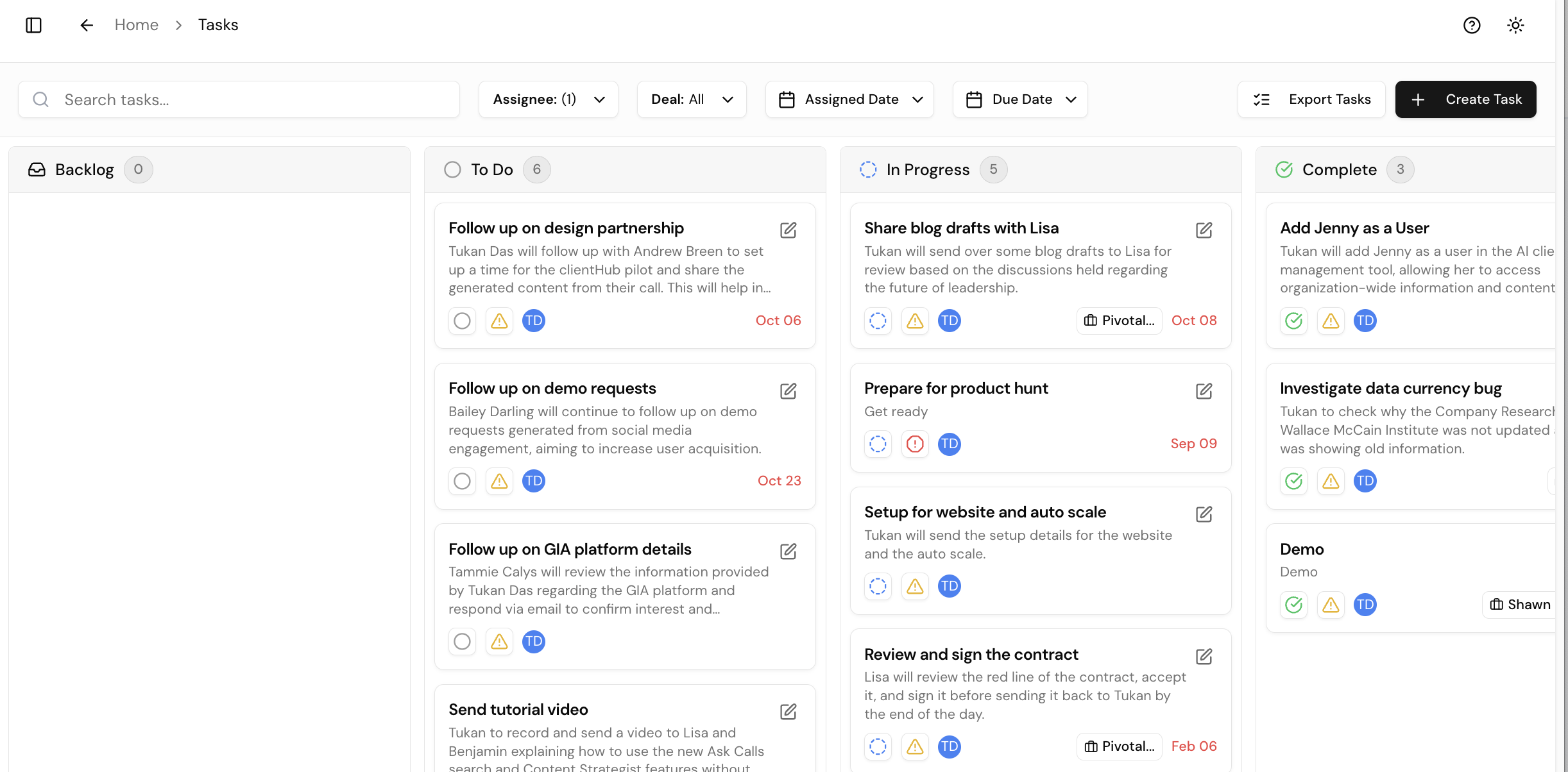
Gia pulls action items from your calls and organizes them on a Kanban-style task board.
Client ManagementHow Tasks Get Created
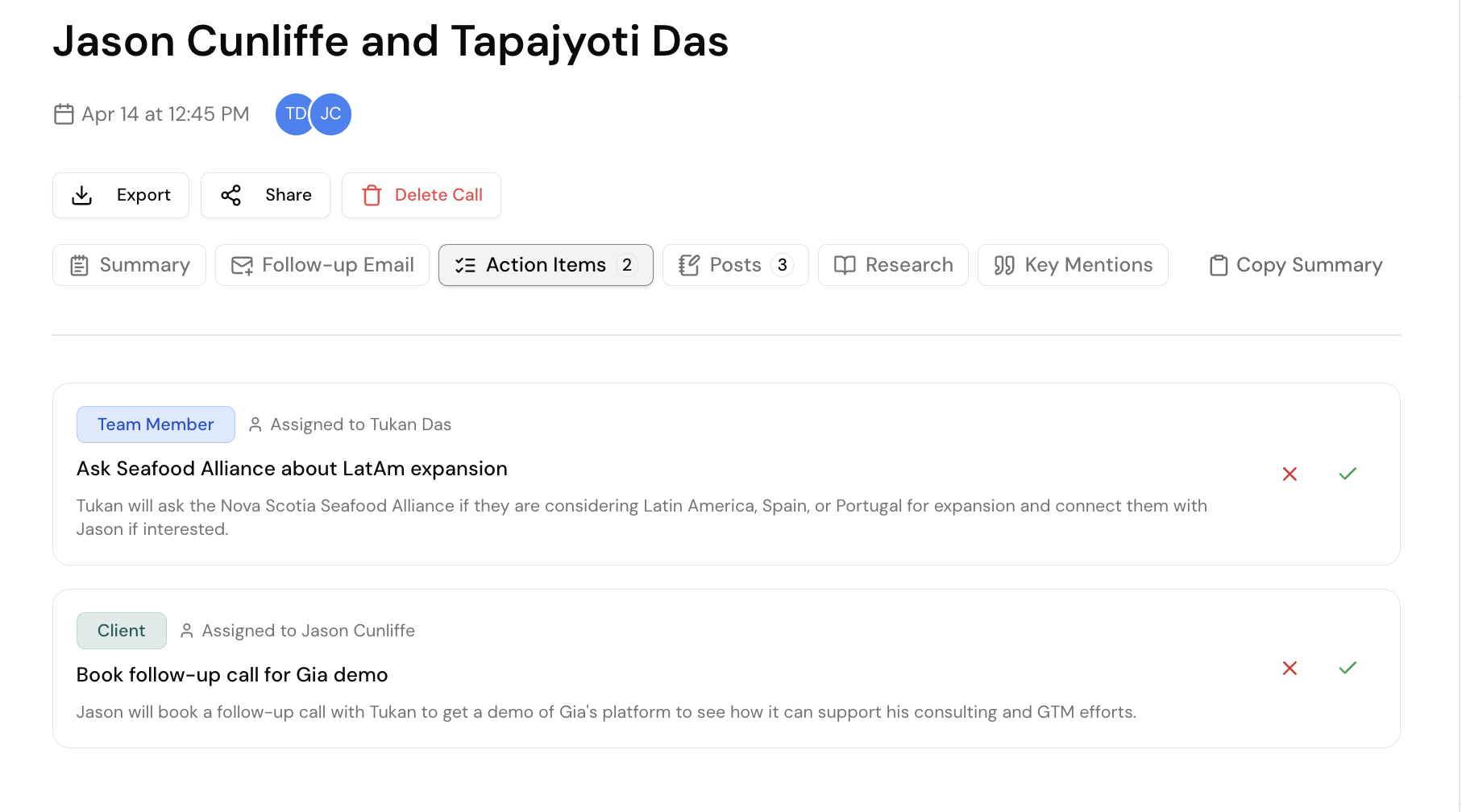
- After a call, go to the call summary and find the action items Gia extracted
- Add notes if needed (Gia pre-populates a description)
- Assign a due date and associate with a deal/account
- Click Submit — the task appears on your board
Using the Task Board
| Action | How |
|---|---|
| Update status | Drag between columns or click to mark In Progress / Complete |
| Sort by due date | Spot overdue items still in "To Do" |
| Sort by account | See all open tasks for a specific client |
Tip
Use Gia Tasks for client-facing tasks and your personal tool (Notion, etc.) for internal tasks. Gia also pre-drafts follow-up emails after calls.