Create Email Templates That Convert
Build reusable templates so your best-performing outreach is always one click away.
Business DevelopmentHow to Create a Template
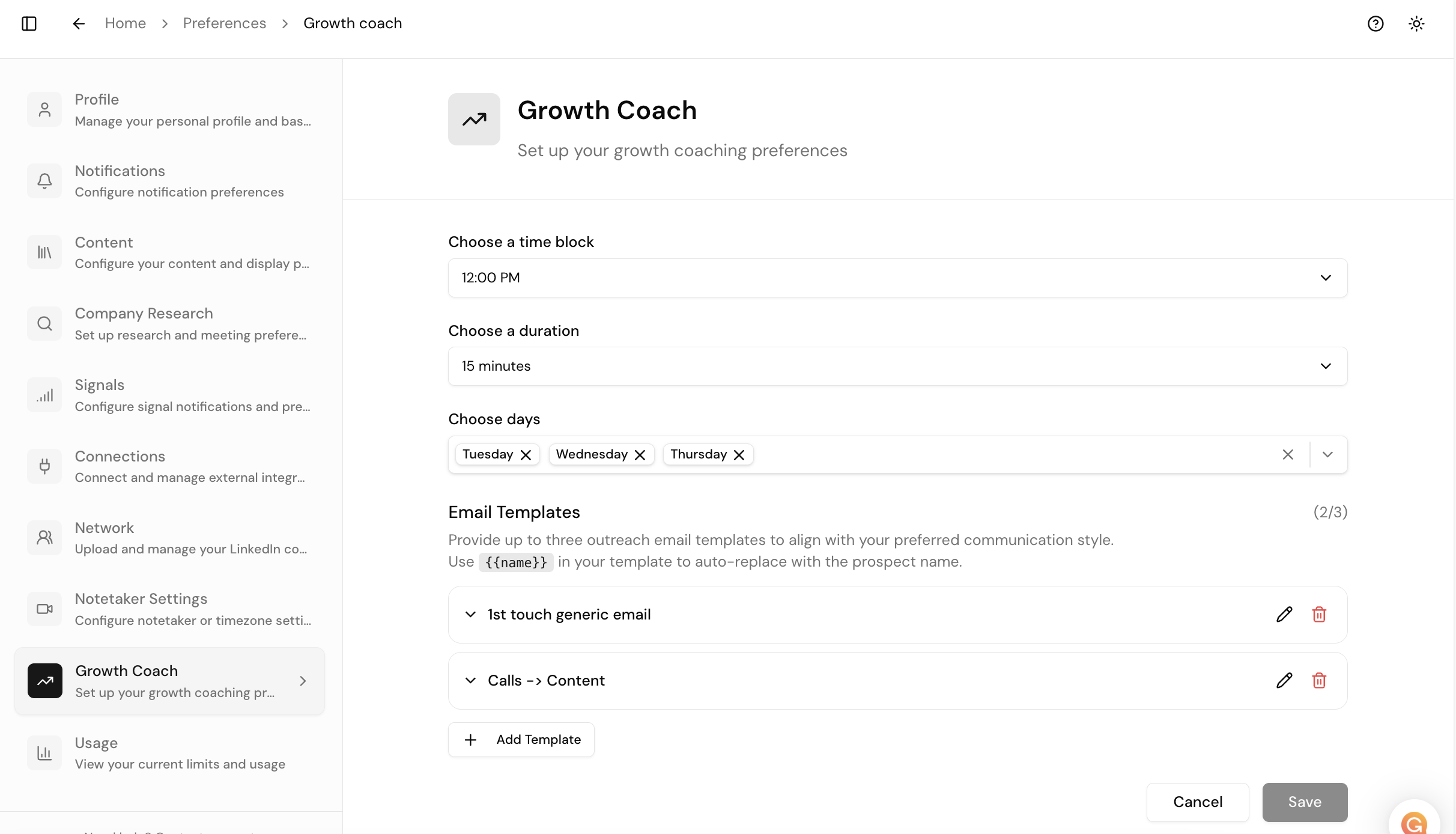
- In Growth Inbox, click Manage Templates
- Click Add
- Fill in a Label, Subject line, and Body with personalization tokens
- Click Save (bottom right — it won't save without this)
What Makes a Template Convert
- Casual subject lines — if it looks like an internal email, it gets opened
- Lead with value — offer something useful before asking (content audit, strategy breakdown, resource)
- The permission ask — "I put this together — want me to send it over?" gets a reply before you do the work
- Personalization — reference their LinkedIn, company, or a mutual connection
Example Template
Subject: 5 minute content trick
Hey {{first_name}}, was looking at your LinkedIn presence. Had a few ideas on how you can turn client calls into content that drives inbound leads — without adding hours of extra work.
I actually put together a quick breakdown for you. Want me to send it over?
Hey {{first_name}}, was looking at your LinkedIn presence. Had a few ideas on how you can turn client calls into content that drives inbound leads — without adding hours of extra work.
I actually put together a quick breakdown for you. Want me to send it over?